Reselling can feel complicated because there are a lot of moving parts: sourcing, checking restrictions, estimating profit, watching competition, tracking supplier costs, restocking, shipping, and figuring out whether you actually made money.
But the core workflow does not have to be complicated.
At its simplest, 3P Mercury turns reselling into two steps:
- Find qualified leads however you can.
- Load them into 3P Mercury and let the software evaluate them automatically.
That is the big unlock. Instead of trying to manually review every product one by one, you build a lead database and let automation help you find the opportunities hiding inside it.

Step 1: Find Qualified Leads
The first step is still sourcing. You need products to evaluate.
Those leads can come from almost anywhere:
- Manual sourcing
- Storefront stalking
- Lead lists
- Wholesale catalogs
- Retail arbitrage finds
- Online arbitrage tools
- Old spreadsheets you already have
- Bulk sourcing workflows using Keepa or other tools
The important part is not finding perfect products immediately. The important part is getting qualified leads into a system that can keep checking them over time.
A spreadsheet can store leads, but the problem is that spreadsheet data gets stale almost immediately. Amazon listings change constantly. Seller counts move. Buy boxes rise and fall. Amazon may jump on or leave a listing. Products can become restricted. Supplier pricing can change.
So if your lead database is just a static spreadsheet, it becomes more of a historical artifact than a working sourcing system. Nice to have. Not exactly doing pushups for your business.
Step 2: Let 3P Mercury Evaluate The Leads
Once leads are loaded into 3P Mercury, the software starts doing the kind of review that would take far too long manually.
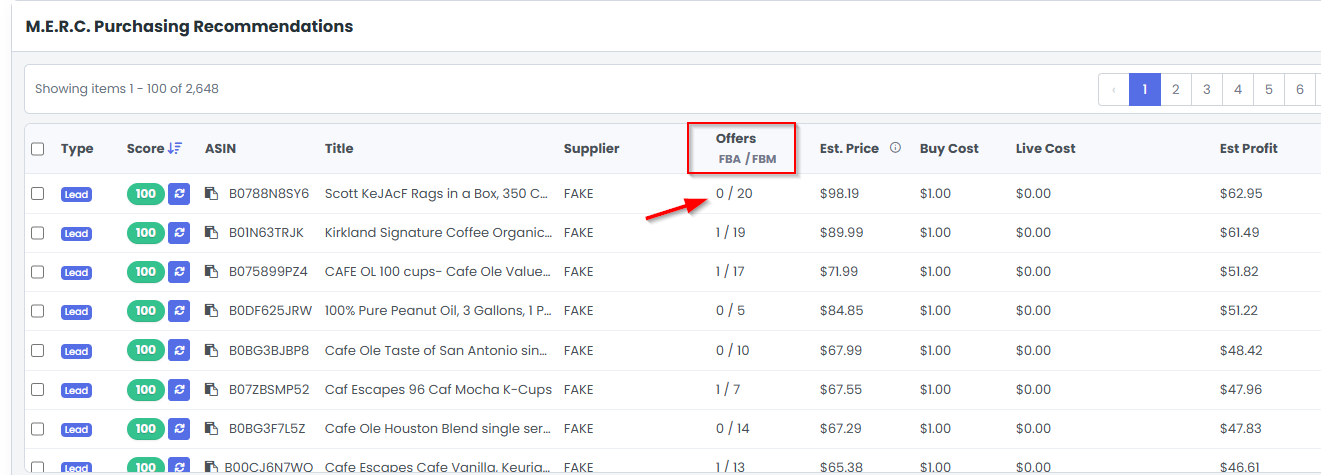
Inside the Lead Vault and M.E.R.C. purchasing recommendations, you can see key information at a glance:
- Estimated price
- Buy cost
- Live cost
- Estimated profit
- ROI and margin
- Seller count
- FBA and FBM competition
- Sales velocity
- Risk signals
- Buy recommendations
That means you are not opening thousands of Amazon pages and trying to make sense of everything manually. You are reviewing organized data and letting filters bring the best leads forward.
Gate Checks Remove Wasted Effort
One of the easiest ways to waste time is sourcing products you cannot sell.
3P Mercury helps solve that with gate checks. When you import leads, the system can check whether you are eligible to sell them. You can tell it to only import eligible leads and remove the rest.
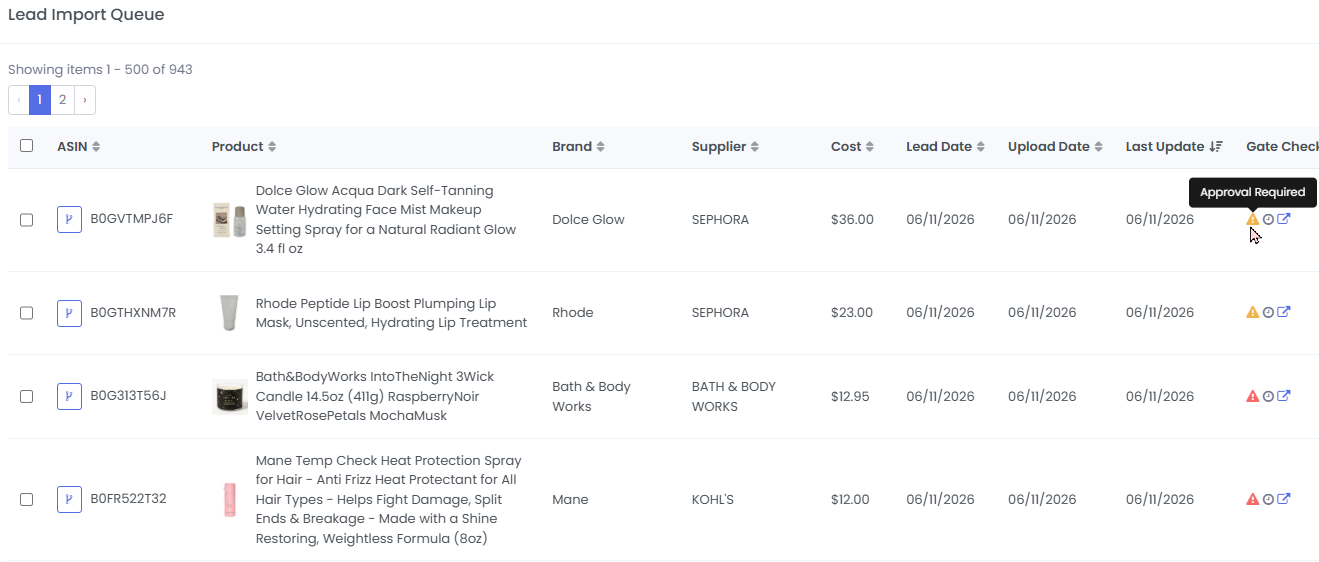
This is especially useful for newer sellers who assume they are gated in everything. Often, they are gated in a lot of things, but not everything. By loading larger batches of ASINs and letting 3P Mercury run gate checks, sellers can quickly find products they are already allowed to sell.
That changes the question from "How do I get ungated in everything?" to "What can I sell right now?"
That second question is much more useful.
M.E.R.C. Score Makes Review Faster
3P Mercury also gives each lead a clearer evaluation through the M.E.R.C. score.
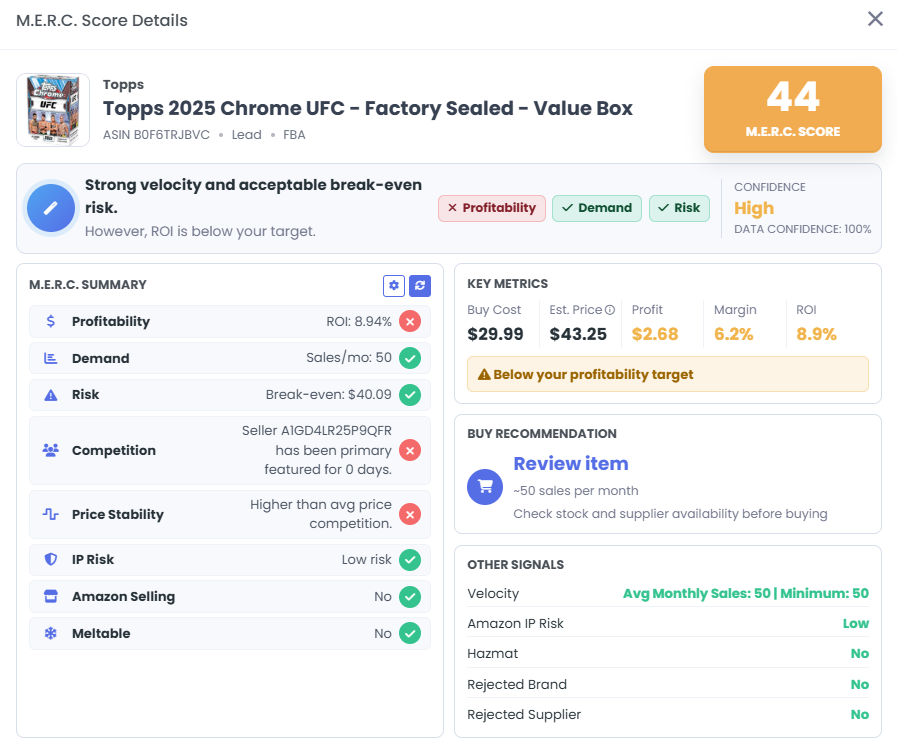
Instead of judging a lead from one number, the score pulls together several signals:
- Profitability
- Demand
- Break-even risk
- Competition
- Price stability
- IP risk
- Amazon selling status
- Meltable status
This does not replace your judgment. It speeds up your review so you can focus on products worth a closer look.
Filters Help Find Hidden Opportunities
The real power shows up when you start filtering your lead database.
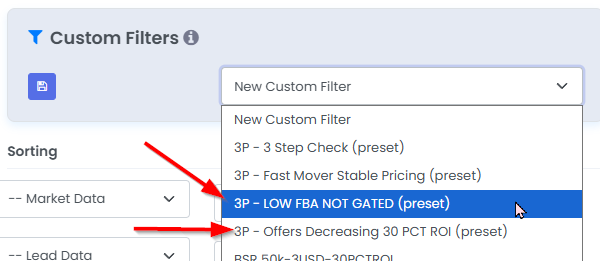
For example, you can filter for leads that meet your profit and ROI targets. You can also look for products where offer counts are decreasing, where FBA competition is low, or where the seller count has dropped over time.
This matters because a product is not always good or bad forever. Timing changes everything.
A product with too many sellers today may become attractive later when competition leaves. A listing that was unprofitable during a price war may recover when sellers run out of stock. If you are tracking the lead, you can catch that opportunity. If it is buried in an old spreadsheet, good luck. The spreadsheet is not going to tap you on the shoulder.
Live Cost Adds Supplier Intelligence
Finding the Amazon side of the opportunity is only half the job. You also need to know whether the supplier side still works.
That is where Live Cost comes in.
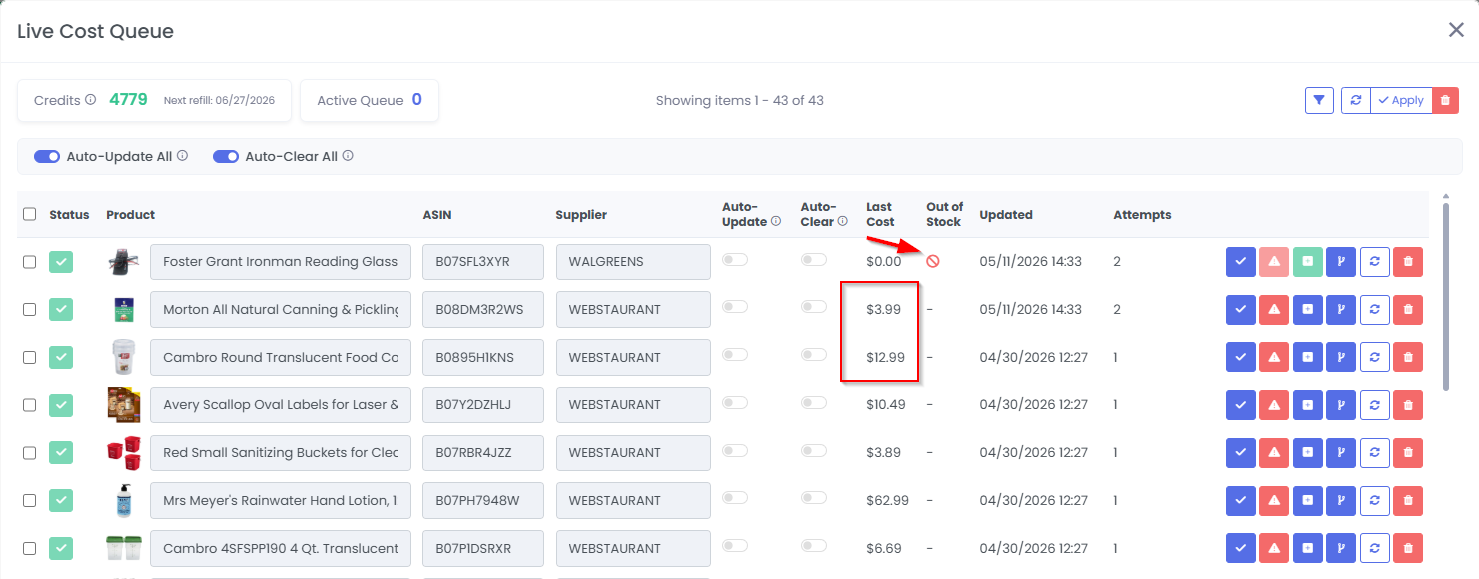
With Live Cost, 3P Mercury can help check supplier pricing, stock availability, and updated costs for products you want to monitor. You can run checks manually or add products to a schedule.
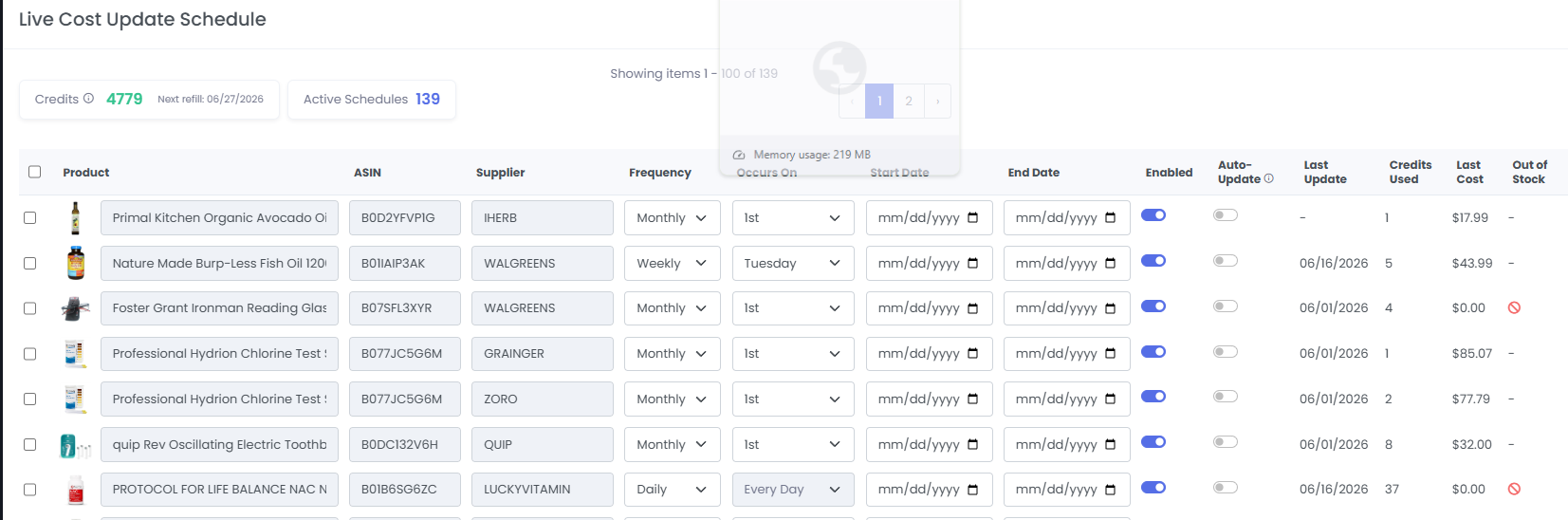
That means your lead database does not just tell you what looked good when you first found the product. It can help you see whether the product still works now.
The Simple Workflow
The simplified workflow looks like this:
- Find leads.
- Import them into 3P Mercury.
- Run gate checks.
- Use filters to find products with profit, demand, and lower competition.
- Use Live Cost to verify supplier pricing and stock.
- Review the best opportunities and make buying decisions.
That is still real work, but it is focused work. You are not manually digging through everything. You are using automation to remove obvious bad fits and surface better candidates.
Find qualified leads, load them into 3P Mercury, and let the software evaluate the repetitive checks so your review starts with better candidates.
Final Takeaway
3P Mercury makes reselling simpler by turning your leads into a living database.
You still need to source. You still need to make smart buying decisions. But you do not need to manually evaluate every ASIN from scratch every time.
Find qualified leads, load them into 3P Mercury, and let the software evaluate, filter, score, gate check, and track supplier costs. That is how reselling becomes less chaotic and more repeatable.
And repeatable is where the real business starts.
Simplify Your Reselling Workflow
Sign up for 3P Mercury to simplify your business. The one software that takes you from sourcing to shipping, automated with the power of AI.
Sign up for 3P Mercury