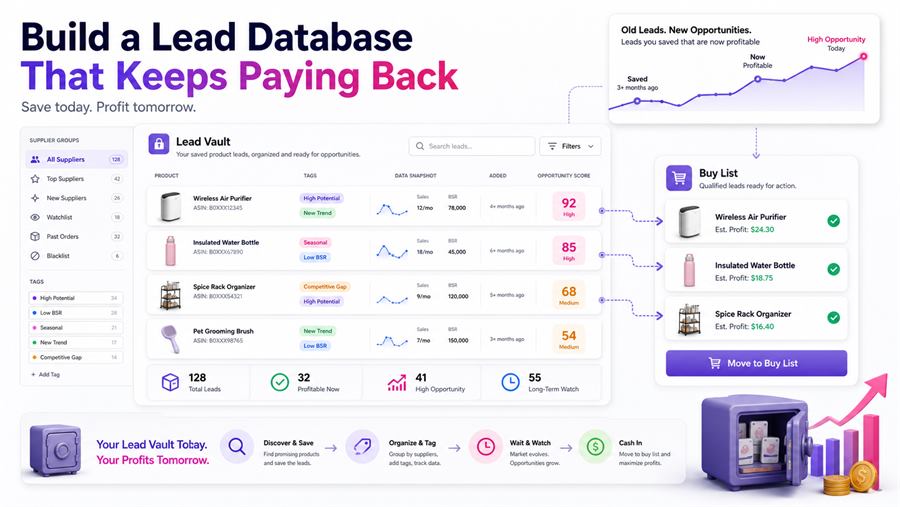
A lead database should not be a graveyard of rejected products.
It should be a reusable asset. A place where old research keeps working in the background until supplier costs, Amazon prices, seller count, approval status, or seasonality changes enough to make a product worth reviewing again.
Most sellers waste too much sourcing work. They find a product, check today's price, reject it, and move on. Sometimes that is fine. Some leads are truly dead. But many leads fail for temporary reasons.
A bad lead today can become a great buy later. 3P Mercury helps sellers save, organize, monitor, and re-check leads so the work you did last month can still create buys next month.
Quick Answer: How Do You Build a Lead Database That Pays Back?
Build a lead database by saving every useful ASIN with supplier, cost, tags, notes, approval status, competition data, source attribution, and outcome history. Then re-check old leads when price, seller count, FBA competition, supplier cost, or seasonality changes.
The goal is simple: stop starting from zero every time you source.
Save Every Lead With Useful Context
A lead database needs more than an ASIN. An ASIN alone tells you what the product is. It does not tell you why you saved it, where you found it, what supplier carried it, what the cost was, or why it failed last time.
For each lead, save:
- ASIN and product title
- Supplier name and supplier URL
- Current supplier cost
- Amazon sale price
- Estimated profit, ROI, and margin
- Approval and hazmat status
- Seller count and FBA competition
- Tags, notes, and date added
- Who found the lead
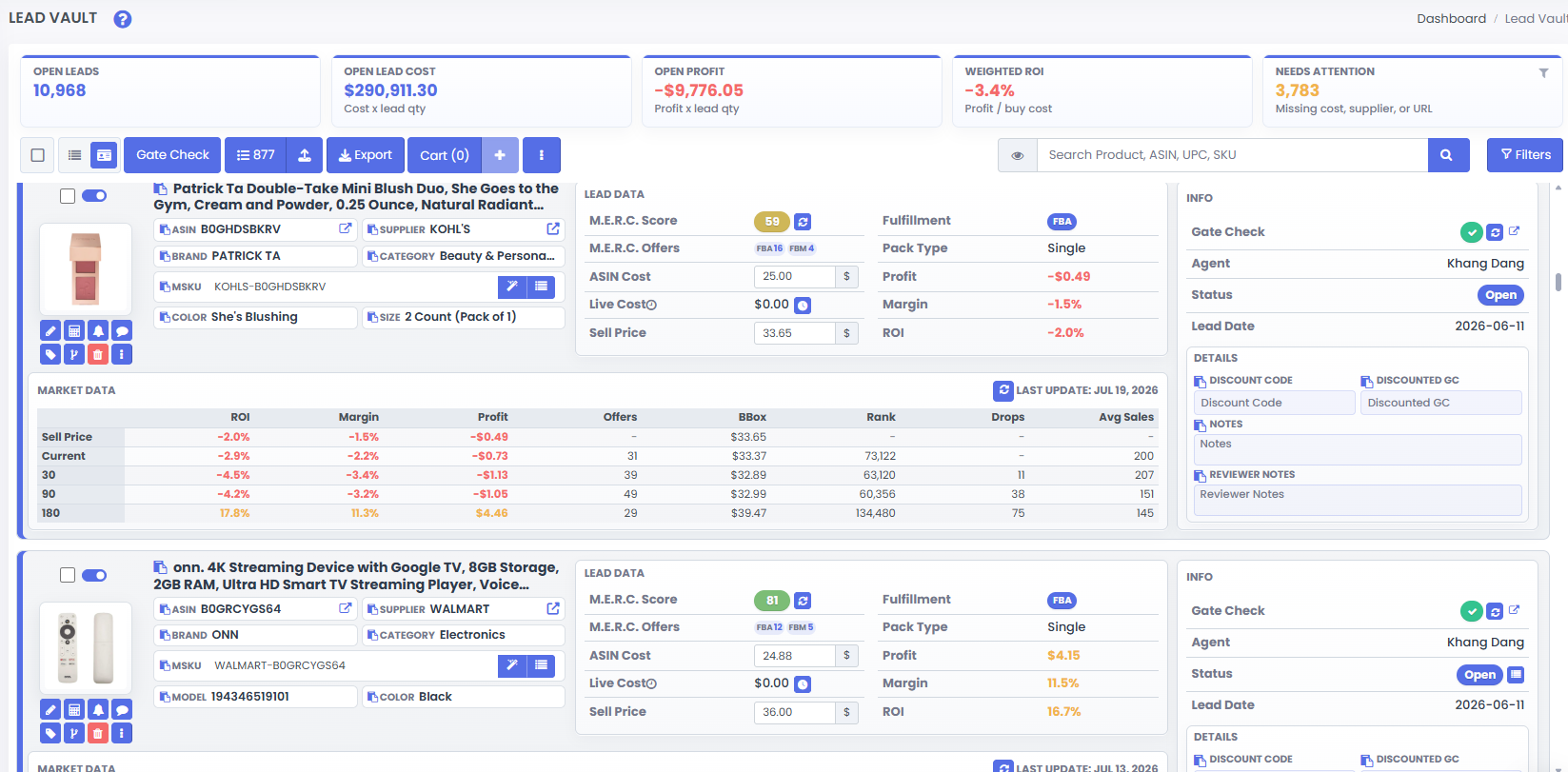
This turns raw product research into searchable business data. When you come back later, you are not asking, "Why did I save this again?" That question is small, but it gets very annoying after the 900th ASIN.
Organize Leads by Supplier, Tags, and Failure Reason
Supplier organization helps sellers build focused buying sessions. Instead of reviewing scattered products one at a time, you can pull up every possible product from one supplier before placing an order.
That helps with supplier minimums, combined shipping, wholesale price breaks, and spotting which suppliers consistently produce good leads.
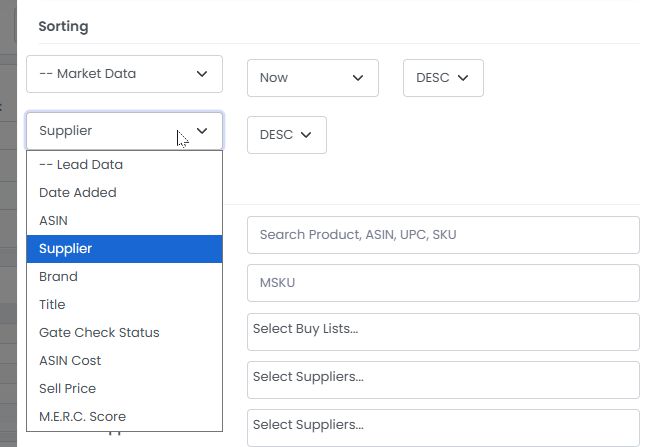
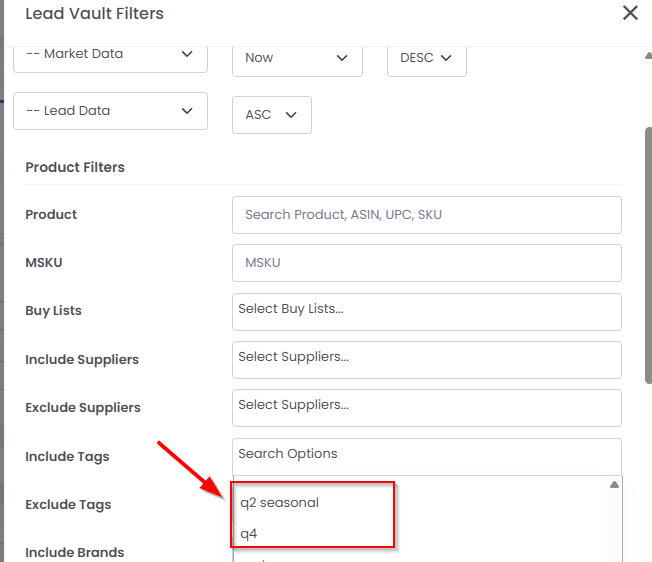
Tags are just as important. Use tags such as Q4, seasonal, watch price, low FBA, needs approval, wholesale, OA, replenishable, test buy, brand lead, or supplier promo.
Also track why a lead failed. "Bad lead" is too vague. Was ROI too low? Too many FBA sellers? Amazon on the listing? Supplier out of stock? Not approved? Hazmat risk? Wrong pack size?
Some failures are permanent. Some are temporary. Temporary failures should be monitored, not deleted.
Re-Check Old Leads When Conditions Improve
The best reason to keep a lead database is that product value changes over time.
A lead can become attractive when seller count drops, FBA competition falls, Amazon leaves the listing, the Buy Box price recovers, a supplier sale starts, a coupon appears, or your account gains approval.
3P Mercury helps sellers review old leads for market changes instead of starting every sourcing day from a blank page.
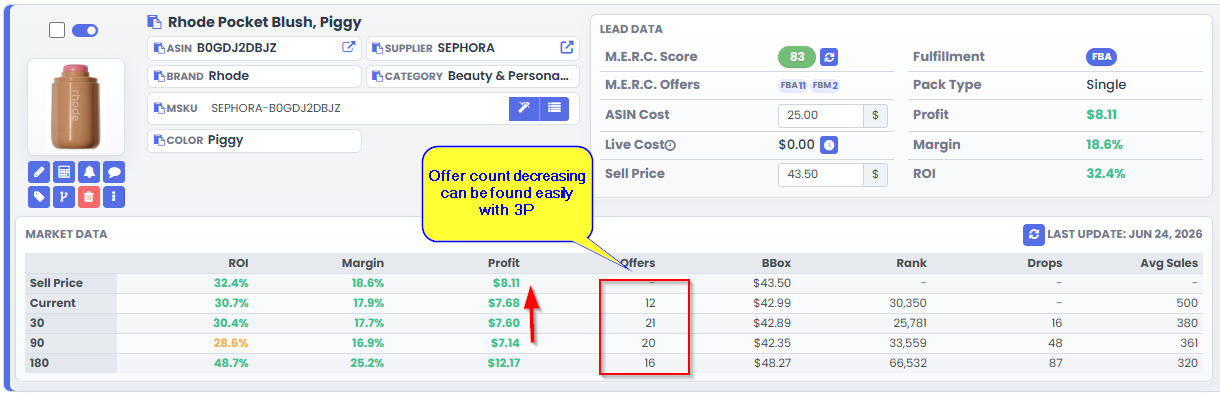
Low FBA competition is another useful signal. A lead that was too crowded last month may be worth retesting if the number of FBA sellers drops.
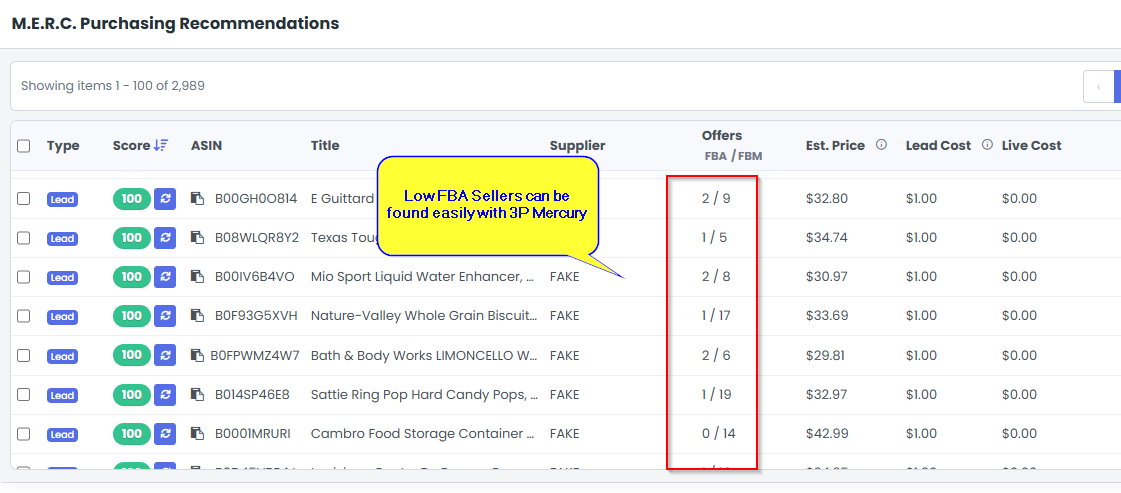
That is the quiet power of a lead database. It lets past work raise its hand when the market finally cooperates.
Track VA and Source Attribution
If virtual assistants help source products, the lead database should also show who found each lead.
This gives you a cleaner way to measure sourcing quality. You can see how many leads each person submitted, how many passed initial filters, how many later became profitable, and which suppliers or categories each person handles best.
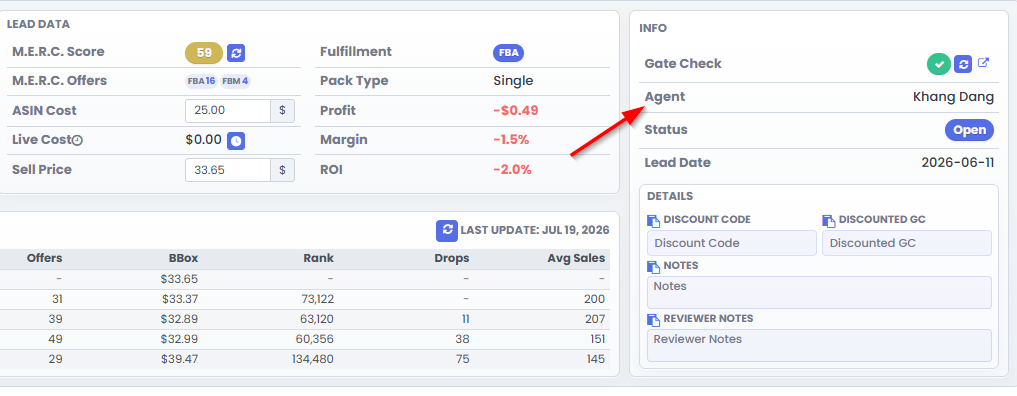
This matters because lead volume alone is not the goal. A VA who submits fewer leads that become profitable buys may be more valuable than someone who submits hundreds of products that never pass review.
A good lead database makes training easier too. You can show examples of leads that became winners and examples that failed because of the same repeated issue.
Move Ready Leads Into Buy Lists
The lead database is where opportunities live. The Buy List is where purchase decisions get organized.
When a lead becomes ready, move it into a Buy List so you can review the full purchase plan before checkout. This creates a clean workflow:
- Save the lead.
- Tag and organize it.
- Re-check market conditions.
- Confirm profit and approval.
- Add the ready product to a Buy List.
- Purchase with a plan.
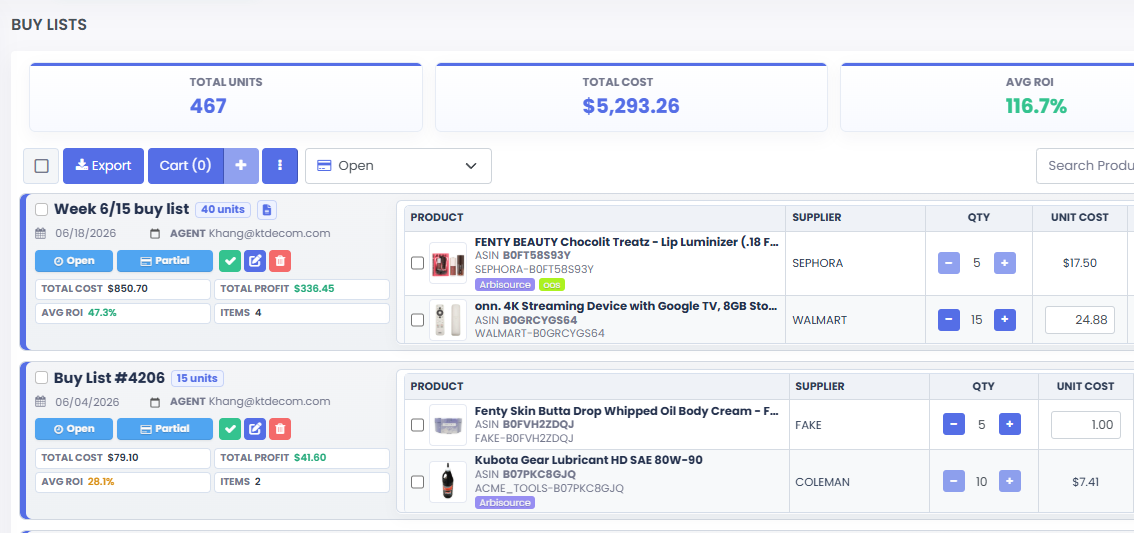
This keeps your lead database from becoming a messy storage closet. Saved leads stay in review until they are ready. Ready leads move into a purchase plan.
Measure Which Leads Actually Paid Back
The best lead database gets smarter over time because it tracks outcomes.
Review which leads were saved, approved, purchased, received, sold, and profitable. Then look for patterns:
- Which suppliers produce the best leads?
- Which tags lead to actual purchases?
- Which VAs find products that sell?
- Which categories turn fastest?
- Which leads looked good but failed after purchase?
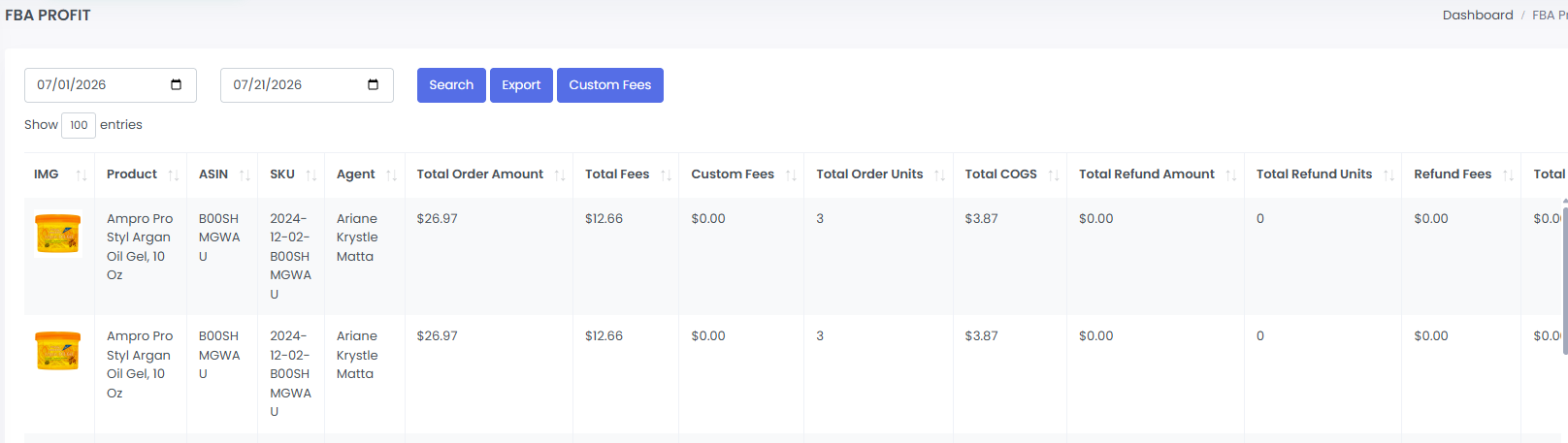
This is how a lead database keeps paying you back. It does not only store possibilities. It teaches you which sourcing work deserves more attention.
Lead Database Checklist
- Save ASIN, supplier, cost, title, and URL.
- Add tags that make future review easy.
- Record why a lead passed or failed.
- Separate dead leads from watchlist leads.
- Filter by supplier before building orders.
- Re-check old leads when seller count drops.
- Track VA or source attribution.
- Move ready leads into Buy Lists.
- Review purchased and sold outcomes.
Your lead database should not be a list you look at once and forget. It should be an opportunity engine that gets more useful the longer you use it.
Frequently Asked Questions
What is an Amazon lead database?
An Amazon lead database is a saved collection of ASINs, suppliers, costs, tags, notes, approval status, competition data, and outcomes that sellers can re-check over time instead of starting sourcing from zero.
Why should Amazon sellers save rejected leads?
Some leads fail for temporary reasons such as low price, high competition, supplier stockouts, or approval status. Saving them lets sellers review those products again when market conditions improve.
What should I track in a lead database?
Track ASIN, supplier, supplier URL, cost, Amazon price, ROI, margin, approval status, hazmat status, seller count, tags, notes, source attribution, date added, purchase history, and sales outcome.
How does 3P Mercury help manage leads?
3P Mercury helps sellers save lead details, organize by supplier and tags, re-check competition, track VA or source attribution, move ready products to Buy Lists, and review purchase and sales outcomes.
When should I move a lead into a Buy List?
Move a lead into a Buy List when it meets your profit, ROI, competition, approval, hazmat, supplier cost, and cash-flow rules. The database stores opportunities; the Buy List organizes purchasing.
Related Reading
- For keeping leads flowing, read How to Keep Your Amazon Lead Funnel Full.
- For old lead recovery, read Turning Trash Into Gold with 3P Mercury.
- For moving approved leads into purchasing, read How to Purchase Effectively with 3P Mercury.
Let Old Leads Keep Working
Sign up for 3P Mercury to simplify your business. The one software that takes you from sourcing to shipping, automated with the power of AI.
Sign up for 3P Mercury