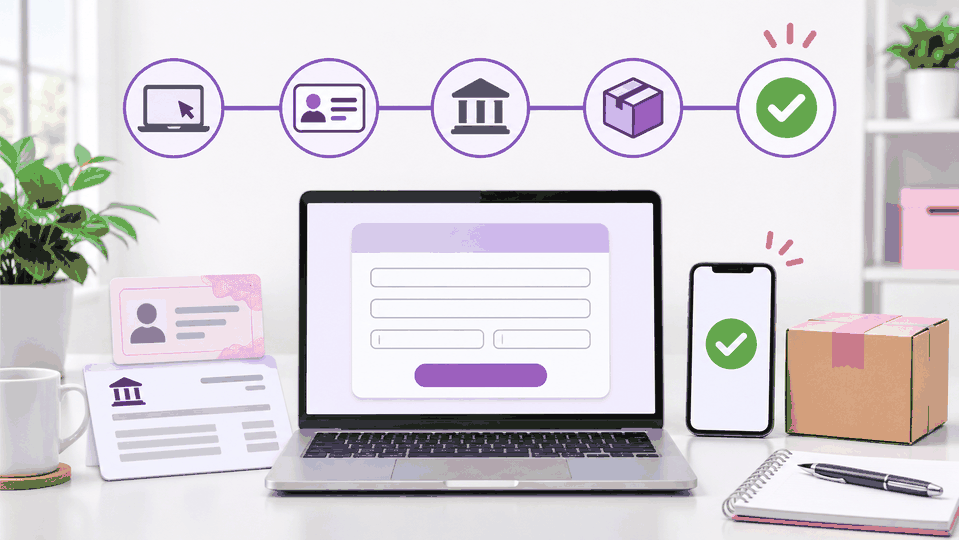
Opening an Amazon seller account isn't hard. But Amazon will ask enough questions to make you feel like you're applying for a mortgage, opening a bank, and proving you are a real human all at the same time.
The process goes much smoother when you prepare first.
Before you register, choose a selling plan, gather your documents, decide how your business is legally structured, and make sure every name and address matches. A small mismatch can turn a simple application into a week of uploading the same document while wondering whether Amazon has developed personal feelings about your utility bill.
This guide walks you through how to open an Amazon seller account, complete verification, and prepare Seller Central before spending money on inventory.
Important: Amazon's screens and document requests can vary by country, business type, and applicant. Follow the instructions inside your application when they differ from a general guide.
1. Choose Your Amazon Selling Plan
Amazon offers two selling plans in the United States: Individual and Professional.
| Plan | Current plan fee | Best for |
|---|---|---|
| Individual | $0.99 per item sold | Occasional sellers or someone testing a few products |
| Professional | $39.99 per month | Sellers building a business or expecting regular sales |
Both plans can have additional selling costs, including referral fees. Fulfillment by Amazon, advertising, storage, returns, and optional programs can add other expenses.
The Professional subscription replaces the Individual plan's $0.99 per-item plan charge. It does not make the other fees disappear. Sadly, Amazon has not introduced the "we forgot to charge you" plan.
Amazon says the Individual plan may suit sellers expecting fewer than 40 monthly sales. Looking only at plan charges, Professional becomes slightly cheaper at 41 items:
- 40 Individual sales: $39.60 in per-item plan charges
- 41 Individual sales: $40.59 in per-item plan charges
- Professional plan: $39.99 per month
The Professional plan may make sense sooner if you need advanced tools, bulk operations, reports, advertising eligibility, or integrations with business software. Amazon says Professional includes access to more than 100 programs and tools designed to help sellers launch and scale.
Review the current comparison on Amazon's selling-plan pricing page. Amazon also allows sellers to change or cancel a plan after registration.
Which plan should a serious new seller choose?
If you are preparing to build an actual reselling business, the Professional plan is usually the practical choice. It supports the tools and workflows you will likely need once your catalog and order volume grow.
But be honest about your timeline. If you are months away from sourcing inventory, do not start paying a monthly subscription just to admire an empty Seller Central dashboard.
Choose Professional when you are ready to operate. Then budget for it as a normal business expense.
Gather your registration information first
Before opening the application, prepare:
- An email address you monitor regularly
- A phone number you can access during registration
- Government-issued photo identification
- Your full legal name, date of birth, and residential address
- Business license or registration information, if it applies
- Bank account and routing information for receiving payments
- An internationally chargeable credit card
- Proof of residential address from the previous 180 days
- Tax information for the person or business registering
- A preferred public store name and at least one backup
Amazon lists a bank or credit card statement as an example of proof of address. Use the exact document types and date range requested in your application.
Now compare every document. Does your name appear the same way? Is the apartment number present everywhere? Did you move recently? Fix those questions before submitting anything.
Consistency matters more than creativity here. This is not the moment to test whether "Mike" and "Michael" are close enough.
2. Start Registration and Enter Your Business Details
Start at Amazon's official seller registration page and select Sign up.
You can create Seller Central credentials or use existing Amazon credentials when appropriate. Amazon recommends using an email different from a normal customer or Amazon Business account. If you already use Amazon Brand Registry, Amazon Ads, or Vendor Central, Amazon recommends using the same credentials so access can stay connected.
Keep your email and phone nearby for security codes. A regular shopping account does not automatically make you a seller. You still need to complete the seller application and identity checks.
Enter your actual business location and type
Amazon will ask where the business is located and how it is legally organized.
If you have a registered business, enter the information from its official records. Amazon may request the registered business name, company registration number, registered address, phone number, and primary contact information.
If you operate as an individual or sole proprietor, choose the option that accurately describes that setup.
You do not need to form an LLC just to open an Amazon seller account. Your selling plan and legal structure are separate choices. A Professional plan does not mean you must have an LLC.
Do not confuse a registration number with an EIN
A company registration number is not automatically the same thing as a federal Employer Identification Number.
Read the field carefully. Use the number Amazon asks for based on your legal setup and location. Do not paste an EIN into every field that looks official and hope the form appreciates your enthusiasm.
If you live outside the United States, do not assume you must create a US LLC to sell on Amazon.com. Requirements depend on your country, structure, and marketplace. Check Amazon's requirements before paying anyone to form a company.
3. Add Seller, Banking, and Store Information
Amazon next needs information about the person responsible for the account. Be prepared to provide:
- Full legal name
- Citizenship and country of birth
- Date of birth
- Residential address and phone number
- Relationship to the business
- Ownership or legal-representative information
Answer based on your actual role. Use the same legal information that appears on your identification and supporting documents. Review spelling, abbreviations, unit numbers, and dates before continuing.
Add your bank account and billing card
Enter the bank account Amazon will use to send disbursements. The account should be in your name or the registered business's name, as applicable.
You will also provide an eligible card for Amazon charges. Amazon currently lists an internationally chargeable credit card among its registration requirements.
Double-check bank and routing numbers, account-holder name, cardholder name, billing address, expiration date, and whether the card can accept international charges.
Choose a public store name
Your public store name must be available, but it does not have to match your legal business name. Choose something professional and flexible. Keep one or two alternatives ready in case your first choice is taken.
Amazon may also ask about planned products, identifiers, certifications, and brand ownership.
- Product identifiers: Products you resell may already have UPCs or other identifiers. Do not buy random barcodes simply to finish registration.
- Brand ownership: Reselling Nike does not mean you own Nike. Answer according to your real relationship with the brand.
- Certifications: Claim only certifications your business actually holds.
Opening the account is separate from creating listings or receiving permission to sell a particular brand, ASIN, category, or condition.
4. Complete Identity and Tax Verification
After submitting store information, Amazon will ask you to verify your identity. Amazon's current registration guide says applicants may be asked to:
- Take a photo of their face and government-issued ID
- Join or schedule a video call with an Amazon associate
For uploaded documents, use clear color scans or photos, show all four corners, keep every line readable, use signed documents where required, and avoid screenshots, cropped images, or blurry photos.
If you have a video appointment, bring the original documents Amazon requests. Join from a quiet location with reliable internet, a working camera, and a microphone.
Amazon says identity verification often takes three business days or less when documents meet the requirements, but additional review can take longer. Completing the application does not mean the account has already been approved.
Complete the tax-information interview
Use the legal name, taxpayer identification, address, and business classification that apply to the person or company opening the account. The information needs to match your registration details and tax records.
If you are unsure whether to register as an individual, sole proprietor, LLC, corporation, partnership, or another classification, resolve that question before submitting. A qualified tax professional can help with your situation.
Monitor the application
Check your email and application status regularly. Amazon may ask for clarification or another document.
| What to track | Your notes |
|---|---|
| Application submission date | |
| Current status | |
| Additional information requested | |
| Date you responded | |
| Remaining action |
Respond to the exact issue Amazon identifies. Uploading the same blurry statement four times is not persistence. It is just giving Amazon four blurry statements.
5. Set Up Seller Central Before Buying Inventory
Once the account is approved, confirm:
- Your intended selling plan is active
- Bank, billing, and tax information is correct
- No verification requests remain open
- Store name and contact information are accurate
- Notifications go to an email you monitor
- You can find inventory, orders, payments, performance, and account health
If someone else will help manage the business, use Amazon's user-permission features. Do not casually share the primary login.
Check whether you can sell the product
Account approval does not approve every product.
Before buying inventory, search for the exact product in Add Products inside Seller Central. Review any limitations and follow the application process when one is available.
Amazon may restrict selling based on brand, category, ASIN, product type, condition, dangerous-goods status, or account eligibility. You may be asked for invoices, product images, authorization, or other records.
A profitable ASIN that you cannot list is not a lead. It is home decor with a receipt.
Use a free Amazon profit calculator to review estimated fees, profit, ROI, competition, variations, and risk before buying. Then read How to Source Safely and Prevent an Amazon Section 3 Suspension before choosing suppliers.
Your Amazon seller account checklist
- I chose the right selling plan for my expected sales and tools.
- I gathered my identification, address, banking, card, and tax information.
- My names and addresses match across my records.
- I registered through Amazon's official seller website.
- My business type reflects my actual legal setup.
- I used the correct company registration number where requested.
- My bank, billing, store, product, and brand details are accurate.
- I completed identity and tax verification.
- I checked for outstanding requests.
- I reviewed Seller Central settings after approval.
- I will check eligibility and profit before buying any ASIN.
Once you begin purchasing, use a repeatable process. How to Purchase Effectively with 3P Mercury explains how to move approved products from analysis to a controlled buy list and purchase workflow.
Frequently Asked Questions
How much does it cost to open an Amazon seller account?
Amazon does not charge a separate fee simply to create the account. In the US, the Individual plan is currently $0.99 per item sold, while the Professional plan is $39.99 per month. Both plans can have additional selling fees.
Do I need an LLC to open an Amazon seller account?
No. Amazon says you do not need an LLC to start selling. Register using the legal structure that accurately applies to you. An LLC may offer separate legal or tax benefits, so get professional advice when deciding how to structure the business.
What documents do I need for Amazon seller registration?
Amazon commonly asks for government-issued identification, bank information, an internationally chargeable credit card, tax information, and proof of residential address. Business registration documents may also apply.
How long does Amazon seller verification take?
Amazon says identity verification usually takes three business days or less when submitted documents meet the requirements. It can take longer when Amazon needs more information.
Can I buy inventory as soon as my account is approved?
You can, but first confirm that the account is eligible to sell the exact brand, ASIN, category, and condition. Also calculate the real fees and expected profit before purchasing.
Related Reading
- Why Every Seller Needs a Profit Calculator
- How to Purchase Effectively with 3P Mercury
- How to Source Safely and Prevent an Amazon Section 3 Suspension
Take Your New Seller Account From Sourcing to Shipping
Try 3P Mercury for $1 and connect lead analysis, buy lists, purchase orders, receiving, warehouse inventory, FBA shipments, restocking, and financial reports in one workflow.
Try 3P Mercury for $1