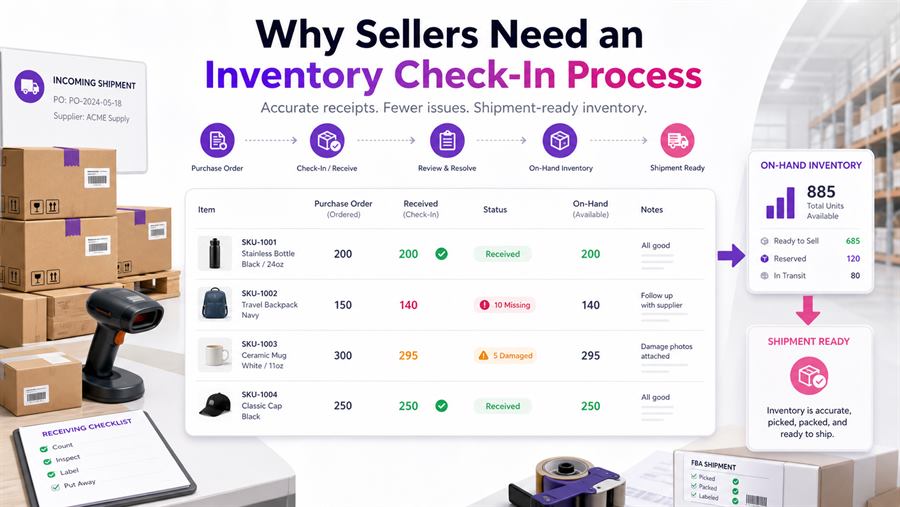
A supplier saying "shipped" does not mean your inventory is correct.
The box may have missing units. The wrong variation may arrive. The case pack may be wrong. Items may be damaged. The receipt may not match what was ordered. If sellers skip check-in, those problems get discovered later, usually when they are more annoying and more expensive.
Buying inventory is only half the job. A real operating system also confirms what arrived before those units move into prep, storage, or an FBA shipment.
3P Mercury helps sellers connect purchase orders, receipts, receiving, on-hand warehouse inventory, damaged exceptions, and shipment workflows so inventory does not live in mystery boxes with sticky notes and vibes.
Quick Answer: What Is an Amazon Inventory Check-In Process?
An Amazon inventory check-in process verifies what was ordered, what arrived, quantity received, item condition, UPC or variation, pack count, receipts, actual cost, exceptions, and whether units are ready to store, prep, or ship to Amazon.
A purchase order is a plan. A supplier shipment is a promise. Check-in is the proof.
Turn Purchase Orders Into Real Inventory
Check-in starts with the purchase order. Before you can receive accurately, you need a clear record of what should have arrived.
During check-in, compare the physical shipment against:
- Product title and ASIN
- Supplier and purchase order
- Ordered quantity
- Expected cost
- Pack size, color, flavor, or variation
- Any prep or labeling requirements
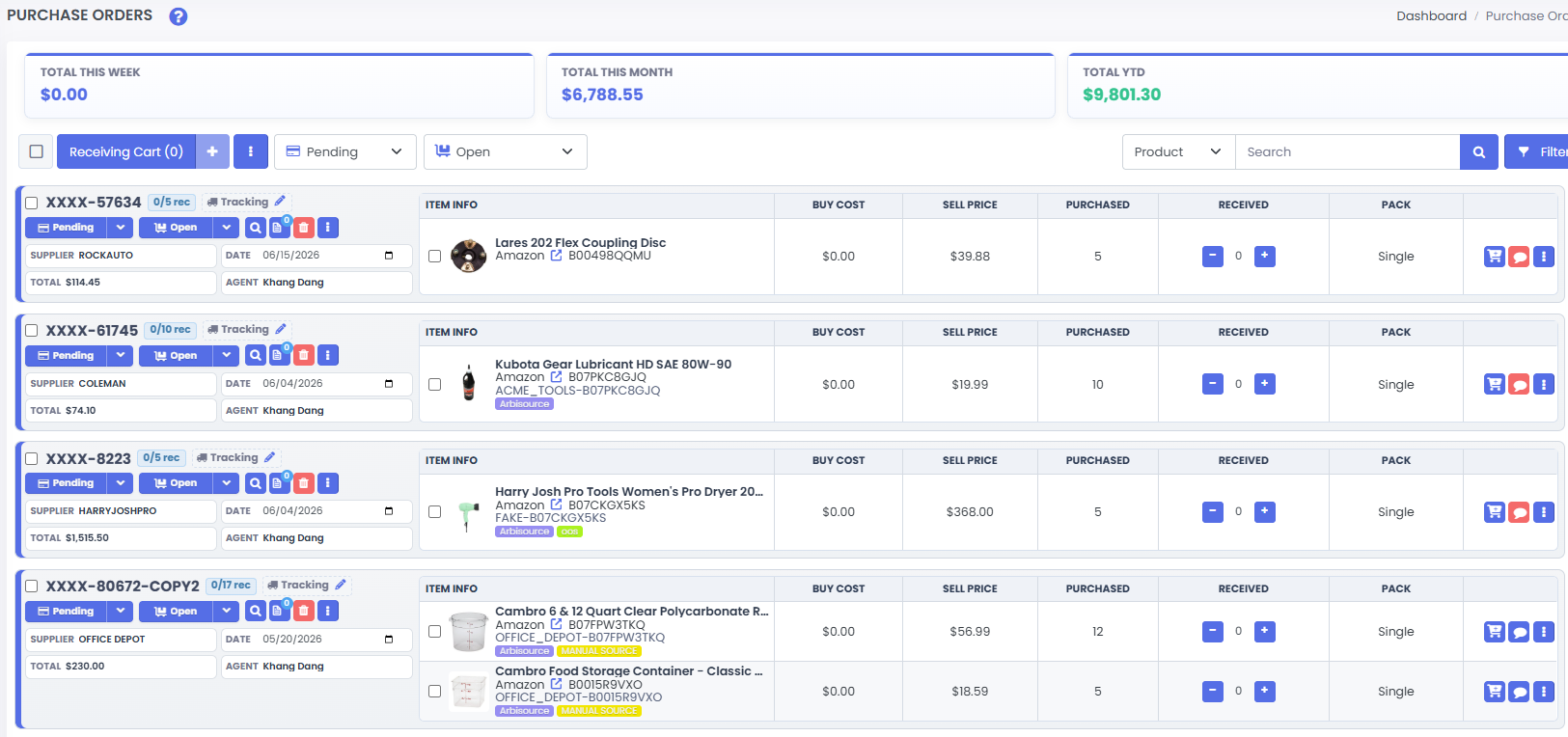
This is where purchased inventory becomes real inventory. Until it is checked in, your system only knows what you intended to buy.
Catch Missing, Wrong, and Damaged Items Early
Missing units are common with supplier shipments, local buys, prep-center transfers, and bulk orders. Without check-in, sellers may not notice shortages until they prep the shipment, send inventory to Amazon, or compare reports later.
A proper receiving screen should show ordered quantity, received quantity, shortage quantity, and the status of each item.
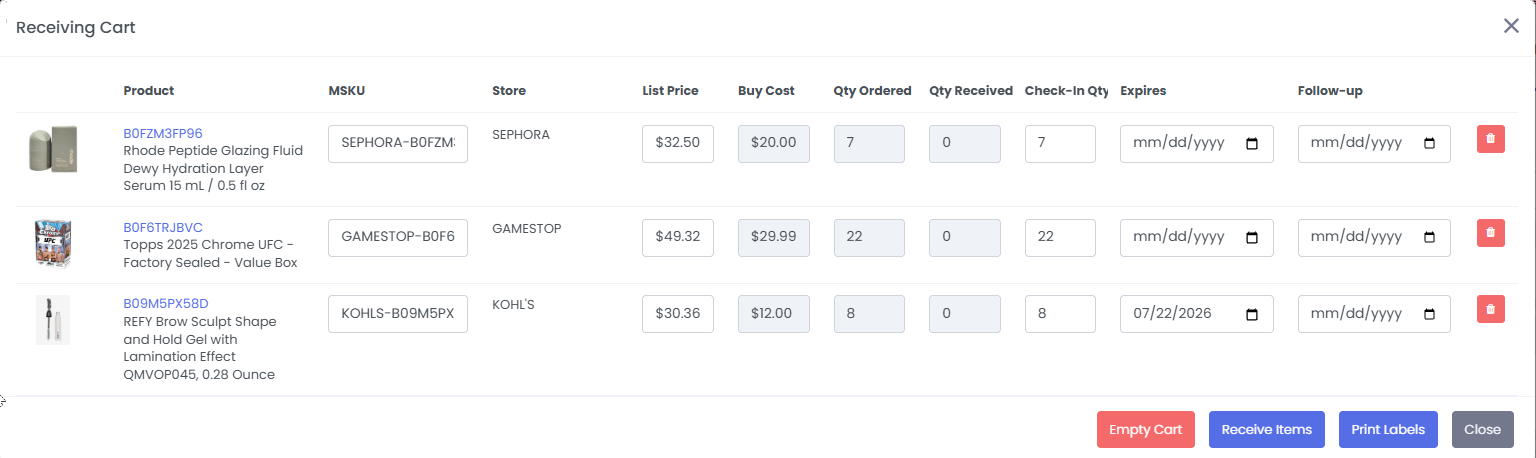
Wrong products and wrong variations are just as dangerous. Check size, color, flavor, model, pack count, UPC, packaging, and expiration date if applicable.
Damaged inventory should also be separated before it gets mixed with shipment-ready units. Look for crushed boxes, broken seals, leaks, torn packaging, missing pieces, expired goods, or anything customers will not be thrilled to receive.
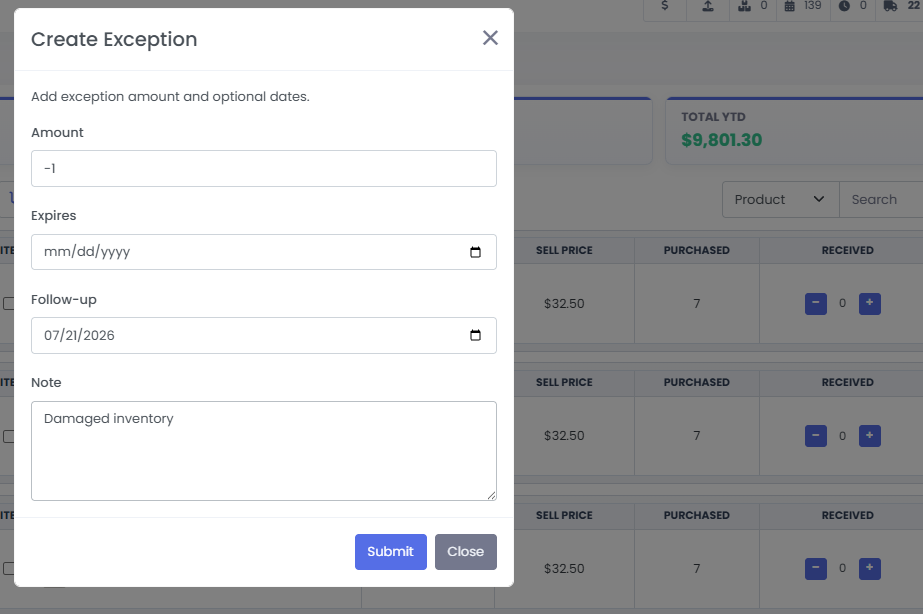
You do not want Amazon or the customer to be the first person who notices the wrong item. That is not quality control. That is a refund with extra steps.
Match Receipts and Update True Costs
Receipts are not just bookkeeping. They prove what was bought, where it came from, when it was purchased, and how much it cost.
They also help with supplier disputes, reimbursement support, cost basis, profit reports, and Amazon documentation requests.
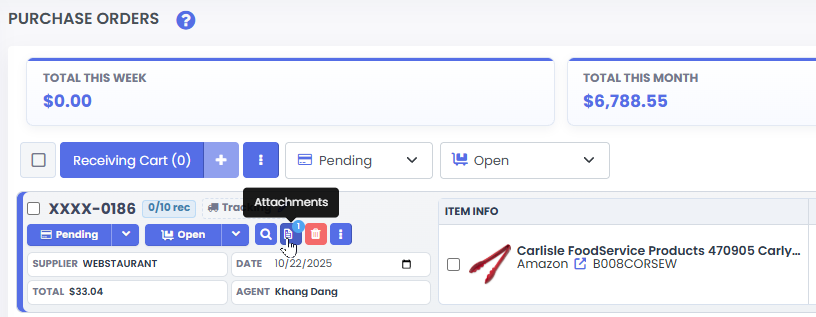
Check-in is also the right time to update true landed cost. The estimate you used before purchase may not be final after supplier shipping, discounts, damaged units, missing units, prep costs, or bundle costs are included.
If your final cost changes, your profit reports should change too. The numbers should follow reality, even when reality is being rude.
Organize On-Hand Inventory Before FBA Shipment
Not everything received should ship immediately.
Some inventory needs prep, labels, bundling, poly bags, bubble wrap, expiration labels, or a holding period before it is ready for Amazon. Some inventory should be set aside because it is damaged, short, under review, or waiting for a later shipment.
3P Mercury's warehouse and on-hand inventory workflow helps sellers know what is received, what is ready to ship, what is waiting for prep, what is damaged, and what is being held.
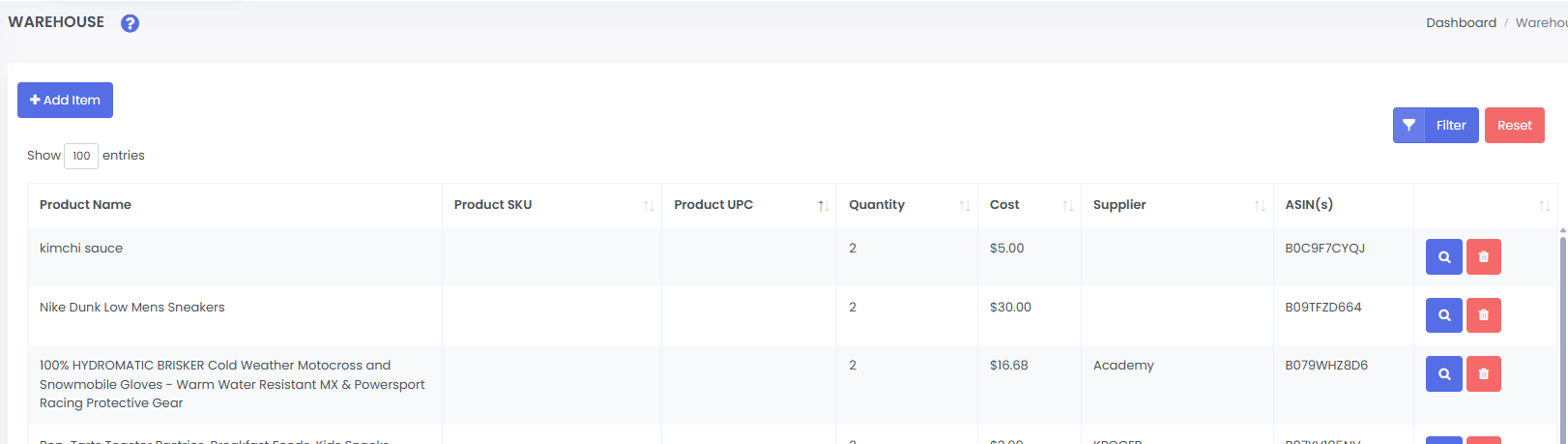
This prevents inventory from living in random boxes with mystery contents. Very professional, very cursed.
Prevent Shipment Mistakes and Improve Reports
A bad check-in process creates bad FBA shipments. Common mistakes include sending the wrong quantity, wrong ASIN, damaged units, unprepped units, missing labels, or inventory from the wrong purchase order.
A clean check-in process makes shipping smoother because the shipment workflow starts with verified inventory.
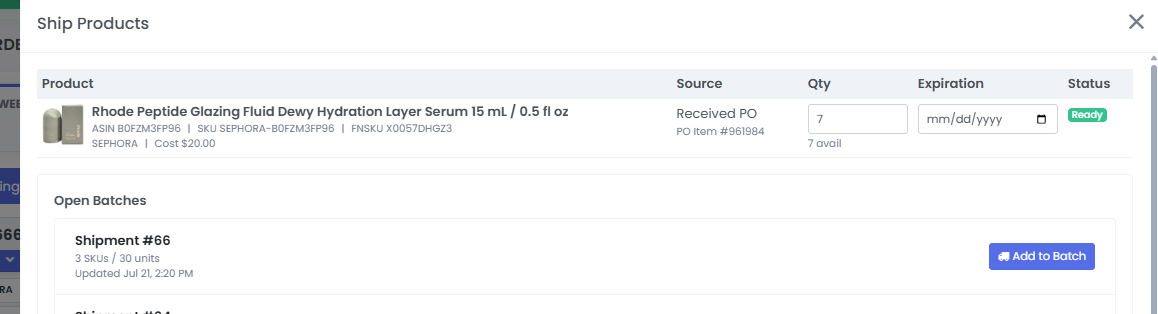
Check-in also improves reporting. Reports become more useful when they use actual received units, actual costs, missing or damaged adjustments, on-hand inventory, and shipment status.
Better data helps you spot which suppliers short-ship, which products arrive damaged, which inventory is waiting too long, and where money is tied up before Amazon ever receives the units.
Inventory Check-In Checklist
- Confirm the purchase order and supplier.
- Verify ASIN, UPC, title, variation, and pack count.
- Compare ordered quantity to received quantity.
- Record missing, damaged, or wrong units.
- Attach or match receipts.
- Update true landed cost.
- Separate held or damaged inventory.
- Move verified units into on-hand warehouse inventory.
- Send only ready units into FBA shipment workflow.
Check-in is not busywork. It is the safety step between "I bought inventory" and "I know what I actually have."
Frequently Asked Questions
What is an inventory check-in process?
An inventory check-in process verifies what was ordered, what arrived, received quantity, condition, receipts, cost, and whether inventory is ready for prep, storage, or shipment.
Why do Amazon sellers need check-in before shipping to FBA?
Check-in catches missing units, wrong products, damaged goods, receipt mismatches, and cost errors before those problems become FBA shipment mistakes.
What should sellers verify during check-in?
Verify ordered quantity, received quantity, UPC, variation, pack count, condition, expiration date if applicable, supplier receipt, landed cost, damaged units, and shipment readiness.
How does 3P Mercury help with inventory check-in?
3P Mercury helps sellers connect purchase orders, receipts, receiving, damaged exceptions, on-hand warehouse inventory, and shipment workflows so inventory is accurate before going to Amazon.
How does check-in improve reports?
Check-in improves reports by using actual received units, accurate costs, missing or damaged adjustments, on-hand inventory, and shipment status instead of planned purchase quantities alone.
Related Reading
- For planning cleaner purchases, read How to Purchase Effectively with 3P Mercury.
- For avoiding bad buys before checkout, read How to Avoid Bad Amazon Buys Before They Hit Your Cart.
- For restock quantity decisions, read How to Restock Amazon Inventory Properly.
Turn Received Inventory Into Shipment-Ready Inventory
Sign up for 3P Mercury to simplify your business. The one software that takes you from sourcing to shipping, automated with the power of AI.
Sign up for 3P Mercury